
Do security cameras work when the power goes out?
They can, if the cameras and the equipment they depend on stay powered. Many commercial security cameras use Power over Ethernet (PoE), which delivers power and data over the same cable. If a PoE switch loses power, its cameras can shut down even if the network video recorder (NVR) is on a battery.
Check where the footage goes. An on-site recorder needs power and a working connection to the cameras. A powered camera with local storage may keep recording to its memory card if it's configured to do so. Cloud recording and remote viewing usually need a working internet connection, so a UPS on your router won't help if your internet provider's connection is down.
At a warehouse with a detached yard, the office recorder might stay online while the switch serving the yard goes dark. Trace the path from each priority camera to its recorder or cloud service, including switches in remote closets and outbuildings. Axis's guide to video recording options explains the differences between on-site, on-camera, and cloud storage.
What happens to access control and electronic locks?
A door's behavior depends on its hardware and what happens when power to the lock itself is lost. Fail-safe hardware unlocks on the controlled side when it loses power. Fail-secure hardware stays locked on that side. Those terms describe the controlled side of the door, so a door can stay locked against entry while people can still exit using the appropriate hardware.
Have your access control provider verify each opening, including required exit behavior, rather than assuming all doors respond alike. Check whether badges work while the system is on battery, what happens when the battery runs out, and whether doors and vehicle gates return to normal operation when power comes back. A keypad that lights up doesn't tell you whether the lock or gate operator still has power.
Record who can use the approved backup entry method and how staff will handle visitors and deliveries if the normal entrance is unavailable. Allegion's door hardware specialist explains fail-safe and fail-secure operation in more detail on iDigHardware.
Will the alarm still reach the monitoring center?
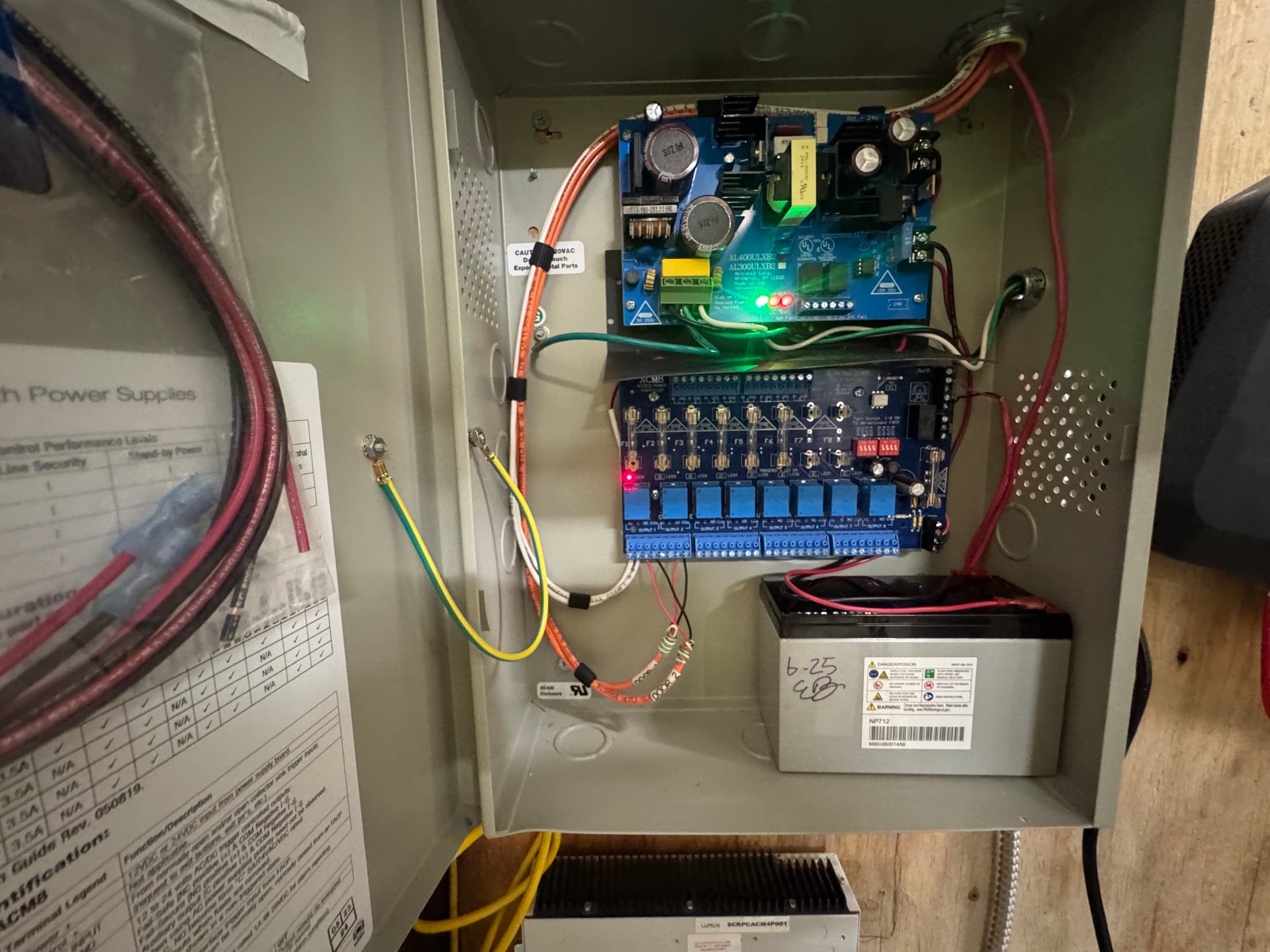
Many commercial intrusion alarm panels have a rechargeable standby battery. That battery can keep the panel and some connected devices running, but equipment with its own power supply may need separate backup. The alarm also needs a working communication path to reach the monitoring center.
If your system reports over the internet, check the modem or fiber terminal, router, and any switches in that path. If it uses cellular, the communicator needs power and usable service. If you have both, ask your commercial alarm monitoring provider to verify that the backup path takes over when the primary one fails.
Coordinate the test with your provider so the monitoring center can confirm it received the signal and the system returns to normal afterward. Ask who gets notified about loss of power, low battery, or a communication fault.
How much backup power does your security system need?
Start with the functions you need to keep and for how long. A Fresno office may need badge access at one entrance and local recording at the lobby. A Clovis warehouse may need loading dock cameras, a yard gate, and monitoring across more than one building. List the circuits, switches, and power supplies each function depends on.
An uninterruptible power supply (UPS) can bridge a short outage or cover the gap before a generator takes over. Runtime depends on the connected load, battery capacity, and battery condition. Use the manufacturer's runtime data for the expected load, then have the setup tested. If you have a generator, confirm the relevant circuits are connected to it and which equipment still needs a UPS during the transfer.
CISA's resilient power best practices cover equipment dependencies, maintenance, and testing. If the site has expanded, review the structured cabling and network layout as well as the batteries. A switch added in a remote closet can change what stays online across the property.
What should you check before the next outage?
Ask your facilities team, IT provider, and security installer to agree on which functions must stay available. Have qualified personnel review the equipment and run a controlled test. Keep the results so you know what stayed online, what dropped out, and what needed attention after power returned.
Pick the priority cameras, doors, gates, and alarm functions, and set a runtime target for each.
Map every device, circuit, and network connection those functions need, including equipment outside the main building.
Record the battery age and condition, the supported load, and who owns maintenance.
Play back footage recorded during the test, check remote viewing separately, and verify door and gate operation.
Confirm the monitoring center received the test signal and recheck recording, credentials, and communications after power returns.
If something fails, start with the specific point of failure. A worn battery, an unprotected network switch, or a missing backup communication path may explain the gap. Review your options before deciding whether equipment needs to be repaired or replaced.